Placing objects: Difference between revisions
MirkLurkBot (talk | contribs) repo-sync: 9d966ca9bb5e text:7c0ba26e5c6ca36c3c61467e707321b1 |
MirkLurkBot (talk | contribs) repo-sync: dacd7a6604c1 text:18121d5ab38eecc9d659383f5804bf70 |
||
| Line 23: | Line 23: | ||
Related entries: {{Item|Storage Chest}} | [[Magus Clay|<nowiki>Magus Clay</nowiki>]] | [[Viend|<nowiki>Viend</nowiki>]] | Related entries: {{Item|Storage Chest}} | [[Magus Clay|<nowiki>Magus Clay</nowiki>]] | [[Viend|<nowiki>Viend</nowiki>]] | ||
Changed in [[Version 0. | Changed in [[Version 0.9.0.0|version 0.9.0.0]]. | ||
Revision as of 13:53, 14 October 2026
How it works
Flipping
While placing an object, press the Weapon Swap key (Z by default) to flip it horizontally before you confirm.
Placing from containers
An object can be placed directly from a nearby container, not only from your inventory.
Where you cannot build
You cannot place objects within about 26 tiles of the Survivors' camp. Until you bring Viend back to the fort, the same applies within 30 tiles of Fort Solid. Placement also fails on water, slopes, plants, goo and occupied tiles.
Storage Chest
Storage Chest is a placeable 7 x 5 container. Items inside lose no durability, stay dry and never go missing, unlike items left in ordinary stashes. Clay and Viend sell it.
Related guides: Survivors' camp
Related entries: 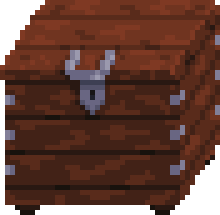 Storage Chest | Magus Clay | Viend
Changed in version 0.9.0.0.